
What does a Facebook Messenger AI chatbot do for a business page?
A Facebook Messenger AI chatbot is software that responds to messages sent to a business page, using rules, AI, or both to answer questions and guide customers. Setting one up means choosing what it should handle, connecting it to your page, adding approved information, and deciding when a person takes over. It suits businesses that receive repeat questions or qualify incoming leads.
This Messenger AI chatbot setup starts with a practical distinction: a scripted chatbot follows fixed choices and prepared replies. An AI assistant can interpret different ways of asking a question and respond using information you provide. A hybrid bot uses fixed rules for important actions, such as capturing a lead or routing a complaint, while AI handles suitable open-ended questions.
For example, a scripted bot might offer buttons for “Hours,” “Services,” and “Contact us.” An AI assistant could understand “Are you open after work?” and answer from the business’s approved hours. A hybrid can answer that question, then offer a booking or staff handoff.
A bot can support customer service and lead qualification, but it shouldn’t be expected to resolve every situation. Complex, sensitive, or unclear requests need a clear route to a person. Treat your Messenger AI chatbot project as a plan for a bounded service tool, not a promise that every conversation can be automated. The useful question is: which repeated customer task can you make faster without making help harder to reach?
Use this guide to decide the first task, connection method, testing plan, and ongoing owner before you build.
Find chatbot development freelancers
What to take from this
- Start with one bounded customer task, such as answering common service questions or routing support requests.
- Use approved information, set clear exclusions, and decide when a person must take over before you choose a tool.
- Compare platform and custom approaches against your workflows, integrations, control needs, and maintenance capacity.
- Test common, unclear, unsupported, and human-handoff paths before launch, then review conversations and update sources.
- Request itemized estimates for build, platform, model usage, integrations, and ongoing support.
- Launch your Messenger AI chatbot with a few clear tasks and a visible route to a person, then expand once replies prove accurate.
What should you decide before setting up a Messenger chatbot?
Before choosing software, decide which customer problem the chatbot will handle, what information it may use, and when it must hand the conversation to a person. A narrow first use case is easier to build and test than a bot expected to answer everything. This planning also helps you compare tools against real needs rather than feature lists.
For a Messenger AI chatbot for your Page, begin with these steps:
- Select one use case. Choose a frequent, contained task, such as answering opening-hour and service questions, collecting lead details, or routing support requests.
- Gather approved answers. Use current service descriptions, policies, contact details, and other material your business is comfortable sharing.
- Define success. Decide what a useful outcome looks like: a visitor gets an accurate answer, submits a lead form, or reaches the right support person.
- Identify escalation needs. List the situations the bot shouldn’t handle alone, including unusual requests, complaints, or topics requiring judgment.
- Assign an owner. Name the person responsible for reviewing conversations and updating content when business information changes.
Write these decisions into a short project brief. Include your audience, sample customer questions, answer sources, desired actions, exclusions, and human handoff rules. For instance, a home-repair business might answer questions about service areas and collect a preferred callback time, while sending requests involving an active safety concern directly to staff.
AI Build Desk helps businesses plan custom chatbots and AI applications without an in-house AI development team. Its planning resources can help you shape your chatbot plan into a brief developers can estimate. Use the same brief to assess whether a no-code platform is enough or whether custom development is justified. A well-defined first use case makes the next decision much clearer.
What tools and access do you need to connect a chatbot to Messenger?
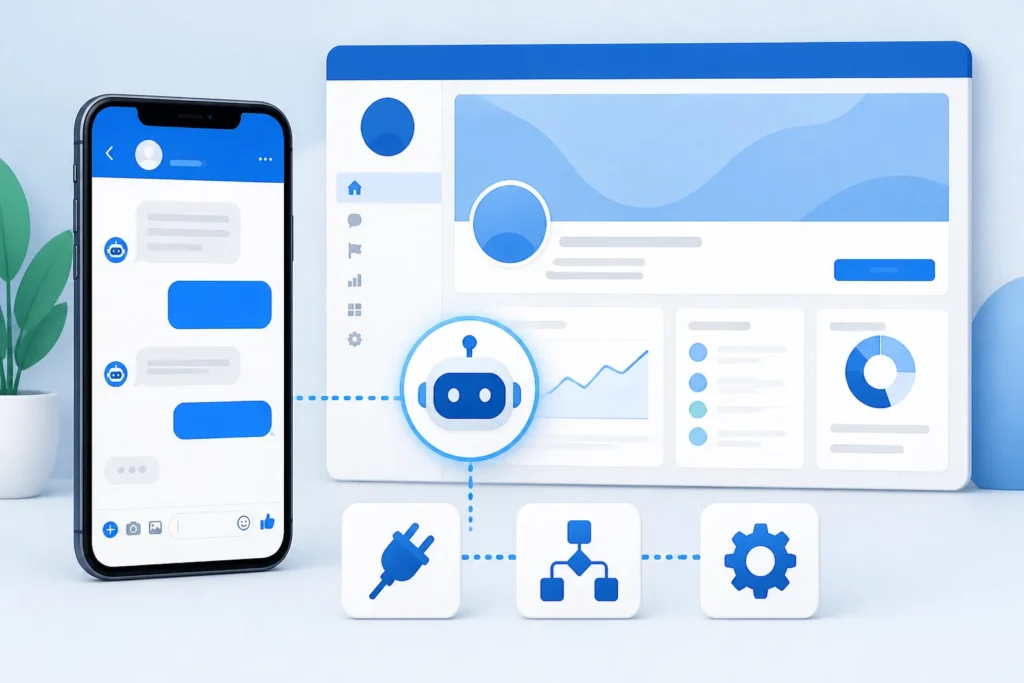
You’ll need an eligible Facebook business page and either a chatbot platform or a custom integration that can connect to it. The access, setup steps, and approvals depend on the provider and implementation, so confirm its current Meta requirements before building. Meta Business Suite is relevant for managing a page; Meta developer tools are more relevant when creating a custom app or integration.
A Messenger AI chatbot setup calls for distinguishing page administration from development work. A page administrator may be able to connect a supported no-code service through its setup flow. A custom build may involve a developer configuring a Meta app and the required permissions. Don’t assume that having page access alone grants every permission a provider needs.
| Approach | Typical fit | Setup effort | Flexibility | Ongoing responsibilities |
|---|---|---|---|---|
| Platform-based | Common FAQs, lead capture, and standard routing | Often lower; configuration depends on the platform | Bounded by its features and available connections | Maintain flows, content, access, and subscription |
| Custom integration | Specialized systems, workflows, or business logic | Requires technical planning and implementation | Can be tailored to the defined requirements | Maintain code, integrations, permissions, and monitoring |
Tools you may encounter include Manychat and Chatfuel for chatbot workflows, plus Make and Zapier for connecting services. Features, integrations, and availability can vary by plan and change over time, so verify the current offer rather than relying on an old comparison.
GPT or Claude can power responses in a custom or connected workflow, but choosing a model doesn’t connect your page, supply business knowledge, or create safe handoff behavior. For a Messenger AI chatbot build, first inventory page access, the systems you need to connect, and the actions the bot must perform. Then ask providers to confirm which setup steps and permissions their approach requires.
Compare chatbot development gigs
How do you set up a Facebook Messenger AI chatbot step by step?
Set up the chatbot by connecting your business page to a platform, defining its conversation flow, adding approved business information, configuring escalation, and testing customer scenarios before launch. Keep the first version focused; use problems found in testing and real conversations to guide later improvements. A no-code tool can handle common flows, while specialized systems or business logic may call for a custom integration.
Use this sequence for your Page setup:
- Choose the use case and tool. Match the tool to the task, required integrations, and level of control you need.
- Connect the page. Follow the provider’s current instructions and confirm the right page and permissions are in place.
- Write the welcome and fallback messages. Explain what the bot can help with and what a customer can do if it doesn’t understand.
- Add answers or a knowledge source. Use approved information, not unreviewed content from across your business.
- Configure lead capture or routing. Ask only for details that are needed for the next step.
- Set human handoff. Define when and how a person receives the conversation.
- Test realistic conversations. Check common questions, variations in wording, and failure paths.
- Publish and monitor. Start with the intended use case and review what customers actually ask.
If answers need to come from product details, support materials, or approved documents, a knowledge base can organize those sources. A retrieval-augmented generation (RAG) system retrieves relevant passages from that material to help the AI form an answer. It still needs well-maintained sources, clear boundaries, and testing; retrieval doesn’t guarantee that every answer will be correct.
Imagine a plumbing service bot. It answers a common question about service areas using approved information, asks permission to collect a customer’s name and callback details, then routes an unusual request to staff. That is the practical role of a Messenger AI chatbot: connect a useful answer to a clear next action while preserving human support. Use this guide as the build checklist, and keep the initial workflow small enough to verify end to end.
How should you choose between GPT, Claude, and rule-based replies?
Choose the response method based on the task. Rules are predictable for fixed choices and actions, while GPT or Claude can interpret varied wording and answer from information you supply. Many business bots combine them: rules control important workflows, and AI handles suitable open-ended questions within defined boundaries.
Use this comparison when planning a Messenger AI chatbot for business Pages:
| Method | Best use | Strengths | Limitations | Information needed before selection |
|---|---|---|---|---|
| Rule-based replies | Menus, fixed FAQs, lead forms, and routing | Predictable paths and controlled wording | Can struggle with unexpected phrasing or questions outside its flow | Approved replies, choices, actions, and escalation rules |
| GPT integration | Interpreting varied questions and responding from supplied information | Flexible language understanding in a connected workflow | Requires boundaries, source material, testing, and an integration | Use case, answer sources, restrictions, and data-handling needs |
| Claude integration | AI responses in a connected workflow, based on the selected implementation | Can support flexible responses using supplied information | Requires boundaries, source material, testing, and an integration | Use case, answer sources, restrictions, and data-handling needs |
Model access, usage charges, integration effort, and data handling depend on the platform and implementation. Verify current terms and capabilities for the setup you’re considering; don’t assume one model is always cheaper or better. Compare how each option performs against your actual sample questions and required actions.
Whichever approach you choose, restrict answers to approved sources, define topics the bot must not answer, provide a fallback, and make human support available. Test questions that are ambiguous or outside the bot’s role, not just ideal examples. If the answer needs interpretation or business judgment, the safer behavior may be to ask a clarifying question or hand off.
AI Build Desk works with GPT and Claude integrations, custom AI chatbots, and RAG knowledge systems. That range is useful when your Messenger AI chatbot requires more than connecting a model. Choose the simplest method that can meet your requirements, then document why it fits and what a person must review. This guide should leave you with a response policy as well as a model choice.
See chatbot development prices
How much does a Messenger chatbot cost, and how long does setup take?
The total cost depends on whether you use a ready-made platform or custom development, how many workflows you need, which systems must connect, and how much testing and maintenance the project requires. Separate one-time build work from recurring platform, model, integration, and support costs. Setup time varies for the same reasons, so scope the work before agreeing to a launch date.
Because cost depends on the provider, plan, scope, and current terms, a Messenger AI chatbot shouldn’t promise a universal price range. Use this table to request itemized estimates; ask each provider to state what its figures include and what could add cost.
| Cost area | What to ask about | How it is commonly charged |
|---|---|---|
| Platform subscription | Included features, page connections, and plan limits | Recurring subscription; confirm current plan pricing |
| Custom development | Flows, page connection, testing, and documentation | Project estimate based on agreed scope |
| AI model usage | Model access, usage measurement, and billing terms | May be usage-based or bundled; verify with provider |
| Integrations | Setup and maintenance for connected systems | May involve platform charges or development work |
| Ongoing maintenance | Content updates, monitoring, fixes, and support | Recurring support arrangement or separately scoped work |
Timeline depends on page access, approval requirements, content readiness, integrations, and the number of conversation paths to test. A straightforward platform setup with prepared answers differs from a custom build that connects to business systems. Ask for milestones and dependencies rather than accepting a fixed launch promise before the scope is clear.
To compare estimates, provide your project brief, list required integrations, describe the expected conversation flows, and ask developers to separate build, usage, and maintenance charges. AI Build Desk publishes cost guides and advice on evaluating AI developers to help you prepare those questions. For your Messenger AI chatbot rollout, compare estimates on matching scope—not just headline totals. A single quote is one proposal, not a universal price for the work.
How can you test, launch, and improve the chatbot safely?
Test the chatbot before launch with common questions, unclear wording, unsupported requests, and requests for a person. A safe launch needs reliable fallbacks, clear escalation, and a plan to review conversations and correct weak answers. Keep the bot’s role clear so customers know when they’re interacting with automation and how to reach staff.
Before publishing a Messenger AI chatbot launch, work through this checklist:
- Confirm the page connection. Check that the correct page is connected and the intended flows are available.
- Review approved answers. Verify that the content is accurate, current, and within the bot’s allowed scope.
- Check lead-data handling. Confirm what information is requested, why it is needed, and how it is handled.
- Test fallback messages. Try misspellings, unclear requests, and questions the bot cannot answer.
- Test human handoff. Confirm that a real person receives the conversation through the intended route.
- Walk through expected paths. Test each important customer journey, including a request to stop or speak with staff.
After launch, review unanswered questions, incorrect responses, abandoned flows, and handoffs. Look for patterns: perhaps customers ask about a service the bot doesn’t cover, or a form asks for information before explaining why it’s needed. Fix the underlying answer or flow, then test the change rather than making assumptions from a single conversation.
Keep knowledge sources current and update rules when services, policies, or contact processes change. Don’t let the bot imply that a human is responding when it is automated. Follow applicable privacy and platform requirements, and make sure staff know how to manage escalated conversations.
A Messenger AI chatbot setup should include an owner and review routine, not end at publication. Record known limitations and decide who handles updates. Use feedback to improve the bot’s defined job, not to expand it into sensitive or unsupported areas by default. A chatbot rollout is safest when customers can get a useful automated answer and a clear human alternative.
Video
What should you do next to get a Messenger chatbot built?
Start with one customer problem, collect the answers and materials the bot will need, and decide where a person must take over. Then compare a no-code setup with custom development against the integrations, controls, and maintenance your business actually requires. A small first version gives you a practical way to test the idea before expanding its role.
Use these next steps to turn Messenger AI chatbot setup into an actionable project:
- Draft a one-page brief. Include the audience, use case, sample questions, approved sources, desired actions, exclusions, and handoff rules.
- Inventory access. Check who administers the page and list the systems or information sources the bot may need.
- Select a preferred approach. Compare a platform setup with a custom build using the workflow and control requirements in your brief.
- Request itemized estimates. Ask for build, platform, model usage, integration, and maintenance costs to be separated.
- Test a small first version. Confirm the main conversation paths and escalation before adding more use cases.
When reviewing developers, compare relevant chatbot experience, the proposed integration plan, testing process, documentation, and ongoing support—not just the initial build quote. Ask who will maintain the bot and its knowledge sources after handover. If an estimate leaves those responsibilities unclear, request a written explanation before you commit.
AI Build Desk helps businesses understand, plan, and build practical AI applications without an in-house AI development team. Its resources on custom chatbots, support bots, lead qualification, GPT and Claude integrations, RAG systems, project briefs, costs, and hiring can help you prepare for conversations with developers. The aim of your Messenger AI chatbot project is to help you scope a useful first project and choose an approach you can maintain.
Take the brief you’ve drafted and use AI Build Desk’s AI development and chatbot resources to refine the plan, prepare questions, and evaluate custom-development options. Your Messenger AI chatbot plan works best as a decision-making tool: define the job, confirm the handoff, compare itemized options, and test before you expand.
Start your chatbot development project
Builder FAQ
Can you add an AI chatbot to a Facebook business page?
Yes, if your page and selected provider meet the current requirements for connecting to Messenger. You can use a chatbot platform for common workflows or a custom integration for more specialized requirements; confirm the provider’s Meta access and approval steps before building.
Can GPT or Claude connect directly to Facebook Messenger?
A model alone doesn’t provide Messenger access. You need a chatbot platform or an integration that connects the page, supplies approved business information, and handles safeguards such as fallback replies and human handoff.
Should a Messenger chatbot use AI or fixed replies?
Fixed replies work well for predictable choices, forms, and routing, while AI can interpret varied wording and answer from supplied information. Many businesses use a hybrid approach, with rules controlling important actions and AI answering appropriate open-ended questions.
How much does a Facebook Messenger chatbot cost?
There isn’t one universal cost: it depends on the platform or custom-build approach, the number of workflows, integrations, AI usage, and ongoing support. Ask for separate estimates for development, platform charges, model usage, integrations, and maintenance.
How long does it take to set up a Messenger chatbot?
Timing varies with page access, approval requirements, content readiness, integrations, and how much testing is needed. Request a scoped plan with milestones and dependencies instead of relying on a launch date offered before the work is defined.
What should a Messenger chatbot do when it cannot answer?
It should say it can’t help with that request, avoid guessing, and offer a clear next step such as contacting a person or leaving details for a callback. Test that fallback and confirm that any handoff reaches the right staff member.
