

What is an AI chatbot for law firms, and what can it do?
AI Chatbot for Law Firms: How to Capture and Screen New Leads
A legal chatbot can respond to initial inquiries, gather preliminary case information, screen potential clients, and help arrange consultations. It supports intake and communication, while attorneys remain responsible for legal advice and decisions.
An AI chatbot for a law firm is a software tool that uses conversational AI to answer questions or guide people through selected client-service tasks. This guide, written for anyone weighing an AI chatbot for law firms, focuses on using it to manage early contact without confusing automation with legal work.
Some chatbots follow fixed, rule-based scripts. They ask a set question and show a prepared response when a visitor selects an option. Generative AI can create conversational responses based on a prompt and supplied information. Natural language processing (NLP) helps software interpret ordinary language, while machine learning refers to systems that identify patterns from data. These terms describe different parts of a system; they don’t guarantee that an answer is correct.
AI chatbots for law firms can support several tasks:
- Website intake: capture inquiries and ask preliminary questions.
- Client communication: answer approved process questions and send reminders.
- Document assembly: place verified information into approved templates.
- Billing or time tracking: assist with selected administrative tasks where permissions and review are appropriate.
Use the name “AI chatbot for law firms” as a reminder of its proper role: an assistant to your process, not a decision-maker. A chat or completed form doesn’t mean your firm has accepted a matter. State that clearly and give visitors a route to a person when their question needs legal judgment.

Find lead generation chatbot freelancers
What to take from this
- Use chatbots to support intake and communication, not to make legal judgments or accept matters.
- Collect minimal preliminary information and apply an attorney-approved conflict-check workflow before requesting sensitive details.
- Set transparent routing criteria, assign staff owners, and make human escalation easy to reach.
- Review privacy, vendor terms, integrations, and security controls before connecting a chatbot to firm systems.
- Start with a scoped pilot, test high-risk cases, and monitor clearly defined intake and follow-up measures.
- An AI chatbot for law firms should collect only what your intake team needs and hand every legal question to a person.
How do website intake chatbots capture and screen potential clients?
A website intake chatbot asks structured questions, records permitted preliminary information, identifies the relevant practice area, and offers an appropriate next step. That might be a consultation request, a staff callback, or an approved response explaining that the firm can’t assist. The process should collect only what your firm needs at that stage.
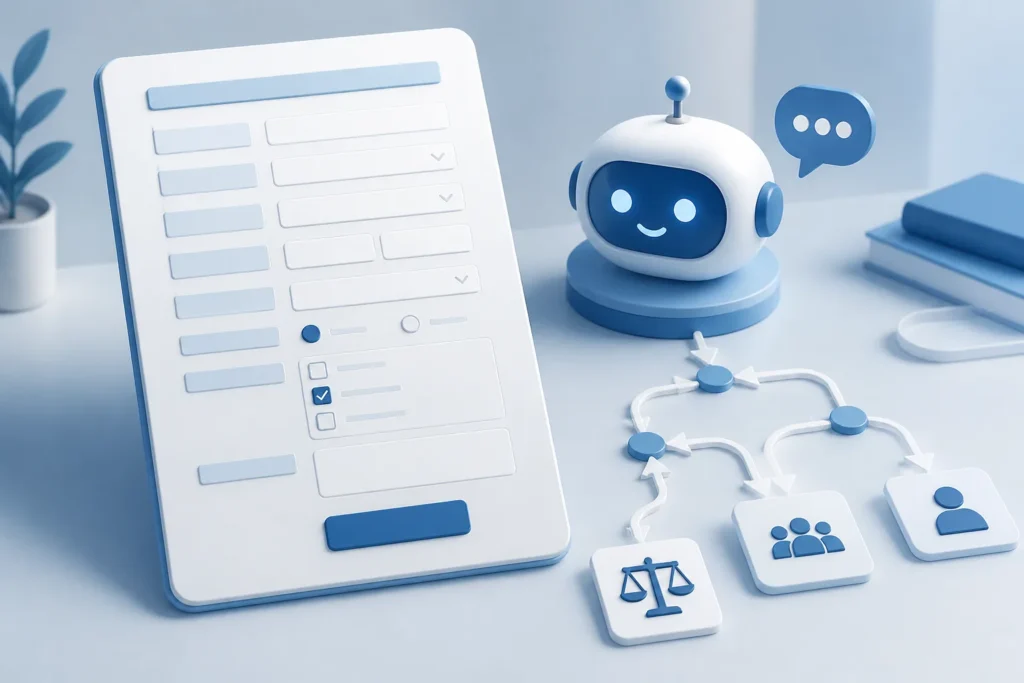
For law firm chatbot intake, think of intake as a controlled sequence rather than an open-ended interview. A practical flow is:
- Greet the visitor and explain that the chatbot provides general information, not legal advice.
- Ask what kind of help they’re seeking, then match the answer to an approved practice area.
- Collect only necessary preliminary details, such as location, relevant dates, urgency, and preferred contact method.
- Offer initial consultation scheduling or tell the visitor when staff will follow up.
Custom intake forms and conversational prompts can gather a matter type and relevant dates without asking for a full narrative. For example, a visitor might identify a landlord-tenant issue, provide the county, and note an upcoming hearing date. Your firm’s policies should determine which details the bot can request and where they are stored.
Frequently asked questions can cover office availability, the consultation process, and what documents to bring. They shouldn’t recommend a legal strategy or tell someone what their rights are in a specific dispute.
Conflict checks need a boundary before sensitive details are collected or acted on. Start with minimal information, such as names needed for an approved conflict-check process, and avoid requesting confidential facts until the firm has reviewed the inquiry. An attorney-approved workflow should specify what the bot may ask, who reviews the information, and how to pause intake if a potential conflict appears. This is the practical safeguard behind any AI chatbot for law firms.
How should a law firm qualify and route chatbot leads?
Lead qualification should use transparent, attorney-approved criteria, not an AI system’s judgment about a case’s legal merits. You can use the chatbot to identify fit and urgency, then route the inquiry for human review. A score should organize follow-up; it shouldn’t predict an outcome or promise that the firm will accept a client.
For lead scoring in legal intake, define the factors staff can apply consistently:
- Practice-area fit: Does the inquiry match a service the firm offers?
- Jurisdiction: Is the matter connected to a location where the firm can work?
- Urgency: Has the person mentioned a hearing, filing date, or immediate safety concern?
- Matter type and completeness: Has the visitor supplied enough permitted information for staff to assess the next step?
- Capacity and acceptance criteria: Is the firm currently reviewing similar matters?
Routing should tell people and systems what happens next. A time-sensitive inquiry can go to a designated staff queue for prompt review. An inquiry outside the firm’s practice areas can receive an attorney-approved response that avoids giving legal advice. A suitable inquiry can be offered a consultation slot, subject to the firm’s normal review and acceptance process.
Before launch, name a routing owner, set response expectations, and define escalation triggers. Decide who handles unanswered questions, possible conflicts, urgent matters, and system failures. Human escalation to attorneys or staff should be easy to request, not hidden behind repeated chatbot prompts.
A legal CRM can retain the intake record, assign follow-up, and show its status. Keep the record limited to permitted information and use access controls. The phrase “AI chatbot for law firms” describes a workflow, not a guarantee of a good case or a new client. A final reference to automated legal intake should never replace a clear explanation of the firm’s actual review process.

Compare lead generation chatbot gigs
What can legal chatbots automate beyond client intake?
Beyond intake, a legal chatbot can support approved client messages, common-question responses, document assembly, and selected billing or time-tracking tasks. Automate repeatable administrative steps only when the process, permissions, and review are clear. A lawyer should remain responsible for legal advice, strategy, and decisions about a matter.
Client communication automation can send approved automated text messages and emails. Examples include confirming receipt of an inquiry, reminding a client of an appointment, or asking for a missing intake detail. Use firm-approved templates, verify contact preferences, and give recipients a clear way to opt out of marketing messages.
Marketing automation can support permission-based follow-up with people who have agreed to receive it. A firm might send a neutral reminder to complete an intake form or share approved information about its consultation process. Keep marketing source tracking distinct from legal conclusions, and make sure the CRM records permission and opt-out status.
Document assembly can populate an approved template from verified, client-provided information. A staff member should check names, dates, selected clauses, and other fields before a document is sent or used. Don’t let a chatbot invent facts or decide which legal terms belong in a document.
In legal intake automation, the useful distinction is between preparing a task and approving its result. A bot may draft a routine acknowledgment; staff should review unusual or sensitive messages. It may fill a form; staff should verify the completed document. It may organize billing or time-entry details; authorized personnel should confirm the record. The second mention, “AI chatbot for law firms”, points back to the same boundary: automate administrative work, not legal judgment. Use your AI chatbot for law firms project as a prompt to map who approves each automated action.

How can law firms protect confidentiality and avoid chatbot risks?
Protect chatbot data with access controls, retention rules, encryption, careful vendor review, and a plan for security incidents. Before deployment, determine what information the tool collects, where it goes, who can access it, and how long it remains. Apply the firm’s confidentiality and cybersecurity policies to prospective-client information as well as client data.
Attorney-client privilege and confidentiality need specific attention when a third-party AI service processes information. Data shared with a provider may be handled under that provider’s terms. Review how the service uses, stores, and permits access to submitted data before connecting it to intake. Don’t assume that a tool’s general privacy claims settle the firm’s professional duties.
Set a conflict-check boundary in the chatbot. Ask only for the minimum information needed before conflicts are reviewed, and prevent the bot from collecting a detailed case narrative at the outset. Make clear to visitors and staff that submitting an inquiry does not establish that the firm has accepted representation.
Use an explicit notice that chatbot responses are general information, not legal advice, and that the exchange does not create an attorney-client relationship. The notice should be visible before a visitor shares information, not buried at the end of a long conversation.
For a legal intake bot, practical safeguards include attorney-approved content, restrictions against predicting case outcomes or recommending legal strategy, and a human route for uncertain or high-risk questions. Test the bot with sensitive-data disclosures and confirm it doesn’t invite unnecessary details. Review vendor access, retention, encryption, and incident procedures before enabling any legal vendor integrations. These controls make an AI chatbot for law firms a safer intake workflow, rather than an unreviewed channel for confidential facts. Keep your law firm chatbot grounded in limited collection, clear notice, and human oversight.
See lead generation chatbot prices
Which chatbot technology and legal CRM should a firm choose?
Choose technology based on the intake tasks, privacy needs, integrations, and oversight your firm can support. A scripted bot offers tighter control; generative AI can handle more varied language but needs stronger review. A custom application may connect several tools, yet it also requires defined ownership, testing, and ongoing maintenance.
Compare the options before selecting a vendor or building a custom tool. The table describes common trade-offs, not a guarantee of any product’s current features.
| Option | Best fit | Strengths | Risks | Oversight required |
|---|---|---|---|---|
| Scripted chatbot | Simple intake paths and fixed FAQs | Predictable questions and approved responses | May fail when a visitor phrases a request unexpectedly | Review scripts, branching, and handoffs |
| Generative AI chatbot | Conversational responses using approved content | Can interpret varied phrasing and respond naturally | May produce inaccurate or unsupported answers | Restrict sources, test responses, and route uncertain questions |
| Custom AI application | Specific workflows across firm systems | Can be designed around selected processes and integrations | Greater design, security, and maintenance responsibility | Set technical ownership, review, and monitoring |
GPT and Claude are model options to evaluate for a custom solution. Choose based on your requirements, privacy review, integration needs, and test results—not brand alone. Confirm how each provider handles submitted data and how the model will be constrained to approved information.
Check available APIs or integration platforms before linking a chatbot to a legal CRM, calendar, email, or intake workflow. Verify each vendor’s current capabilities; don’t assume compatibility. Firms can assess names such as Law Ruler and ProfitSolv against their own records, routing, and reporting needs. Colin Walsh, SVP & GM at ProfitSolv, is an industry perspective to weigh alongside product documentation, not a substitute for it.
A legal CRM can support marketing automation, lead records, marketing source tracking, and dashboard analytics. Define key performance indicators (KPIs) such as completed intakes, response status, consultation scheduling, and lead conversion rates, then agree on what each measure means. For an AI chatbot for law firms, the technology should fit this operating model. AI Build Desk helps businesses plan and build practical AI applications, including chatbots, lead qualification systems, GPT or Claude integrations, and RAG knowledge systems, without an in-house AI development team. Consider your intake goals when comparing a limited workflow with a custom system; an AI chatbot for law firms remains a process choice, not a product endorsement.
How much does a law-firm chatbot cost, and how long does it take to build?
Cost and implementation time depend on scope, so there isn’t a reliable universal price or timeline for every law firm. A simple scripted intake flow differs from a Custom AI application connected to a CRM, calendar, and email. Ask for a scoped estimate that separates the initial build from ongoing running costs.
For a legal chatbot build, break the budget into components rather than asking for one unexplained total:
- Initial discovery, conversation design, and development.
- CRM, calendar, email, or intake-system integrations.
- Model or API usage, hosting, and storage.
- Security review and data-handling work.
- Ongoing maintenance, monitoring, and content updates.
The schedule depends on the same scope decisions. More practice areas and intake paths mean more questions and routing rules to approve. Custom forms, legal vendor integrations, conflict-check steps, security review, and testing can also add work. A workflow with one practice area and a staff handoff is usually simpler to define than one that spans several departments and systems, though the actual effort depends on the firm’s tools and approvals.
Prepare a project brief before requesting estimates. Include:
- Who will use the chatbot and which practice areas it will support.
- What information it may collect and what it must not request.
- Which CRM, calendar, email, and intake systems need connections.
- Privacy, retention, access, conflict-check, and human-handoff rules.
- Expected deliverables, ongoing cost assumptions, and acceptance criteria.
Ask developers to list assumptions, exclusions, and what counts as a finished, tested system. Request separate build and monthly running-cost estimates, including any expected model, hosting, or monitoring charges. The project title “AI chatbot for law firms” shouldn’t imply a fixed package; compare estimates by scope and deliverables. Use your AI chatbot for law firms plan to keep the brief focused on intake and screening. Treat the chatbot rollout as a defined project, not a universal cost formula.

How should a law firm test, launch, and improve its chatbot?
Test the chatbot against routine questions, incomplete answers, urgent scenarios, unsupported legal questions, sensitive disclosures, conflict boundaries, and human handoffs. Attorneys and intake staff should review its accuracy, clarity, confidentiality, and risk of giving legal advice. Correct or remove harmful answers before launch, then monitor the live workflow and retest after changes.
Use a repeatable quality-assurance sequence:
- Test common questions about office hours, process, and consultation preparation.
- Give incomplete, unclear, and unexpected answers to see whether the bot asks a safe follow-up or routes to staff.
- Check urgent scenarios and confirm they reach the designated queue.
- Ask for legal strategy or an outcome prediction and verify the bot declines and offers human review.
- Enter sensitive details and confirm the bot doesn’t ask for more than the approved minimum.
- Test conflict-check limits, scheduling, system errors, and the route to an attorney or staff member.
Have attorneys approve legal information and intake staff review whether the questions make sense in practice. Don’t launch with a response that is unclear, inaccurate, or likely to mislead a visitor. Keep the approved answer set and escalation rules under version control so staff know what changed.
Use dashboard analytics to track completed intakes, routing accuracy, response and follow-up status, consultation scheduling, and lead conversion rates. Define each key performance indicator before comparing results. For instance, decide whether a completed intake means the visitor answered every required question or merely submitted contact details.
Review conversations only under the firm’s retention and access policies. Update FAQs and approved content when procedures change, and retest after prompt, model, integration, or form updates. An AI chatbot for law firms should remain a controlled service process, not a one-time website installation. Use this intake plan as the checklist for launch reviews, and revisit your AI chatbot for law firms setup whenever the workflow changes.
Video
A practical next step for your law firm
Start with the intake process you already use. Map each step from first inquiry to staff follow-up, choose one practice area for an initial pilot, and identify the information the firm truly needs before a conflict review. Then set privacy, retention, and escalation rules before selecting technology.
Prepare a short project brief with the user groups, supported matter types, permitted questions, systems to connect, human handoff rules, and acceptance criteria. Compare a limited pilot with broader custom development, and ask each developer to separate build costs from ongoing costs. AI Build Desk’s planning and development resources may help if you need support scoping a chatbot, lead qualification system, or AI integration. Keep the proposed work focused on legal intake and client communication.
That is the practical promise of a well-scoped legal intake bot: a clearer first contact, a safer screening process, and a defined path to a person. Use your AI chatbot for law firms goals to frame the pilot, then judge it by the firm’s approved workflow and measured results. The right next step for your firm’s intake chatbot is a scoped plan, not an assumption that more automation is always better.
Start your lead generation chatbot project
Builder FAQ
Can a law-firm chatbot give legal advice?
It should not provide legal advice or recommend a strategy for a person’s specific matter. Limit it to attorney-approved general information and route legal questions to a lawyer or qualified staff member.
What information should a legal intake chatbot collect?
Collect only the minimum preliminary information your firm needs to identify a practice area and decide what happens next. Set limits around names, locations, dates, and contact details, and avoid inviting a detailed confidential narrative before conflict checks.
Does submitting a chatbot inquiry make someone a client?
Not by itself. The chatbot should clearly state that submitting an inquiry does not mean the firm has accepted the matter or created an attorney-client relationship.
Can a chatbot schedule an initial consultation?
It can offer available consultation times if the firm’s calendar and intake workflow support that step. The firm should explain whether a booking is a request or a confirmed appointment and retain a human review path.
Should a law firm use generative AI or a scripted chatbot?
A scripted chatbot can suit simple, predictable questions and intake paths. Generative AI can handle more varied language, but needs stronger testing, approved content, privacy review, and human oversight.
How should a law firm measure chatbot performance?
Track measures such as completed intakes, routing accuracy, response and follow-up status, consultation scheduling, and lead conversion rates. Define each measure consistently and review it alongside privacy and quality checks.
