
What is an AI Chatbot for Appointment Booking at Salons, Clinics and Studios?
An AI chatbot for appointment booking is a conversational tool that helps clients find a suitable service and request or schedule an appointment through chat. It can answer routine questions, collect booking details, and connect to calendars or business systems when configured to do so.
The plain definition is simple: it’s software that understands a client’s message and guides them through booking-related tasks. A scripted chat widget follows preset buttons or phrases; an AI chatbot can interpret requests such as “Do you have an evening haircut appointment this week?” and ask a relevant follow-up question.
Can it take bookings? The AI booking assistant can create a confirmed appointment only if it has access to a connected booking tool, follows the business’s scheduling rules, and has permission to make changes. Without those connections, it can collect a request or suggest that a staff member follow up, but it can’t reliably confirm a live time slot.
For example, a salon chatbot without calendar access could record that a client wants a haircut after work. It should label that as a request—not promise an appointment. With a booking integration, it may check eligible times and reserve one according to the salon’s rules.
This guide covers the workflow, system connections, privacy boundaries and staff handoffs, along with the factors that shape project costs and delivery plans. You’ll also see how to scope an automated chatbot for appointment booking without assuming that a chat interface alone can manage a schedule. The right design makes clear what the bot can confirm, what it can only request, and when a person needs to step in.
Use the same test when assessing an online chatbot for appointment booking: can it answer from approved information, check the authoritative schedule, and communicate the result accurately? If any answer is no, define the limitation and an appropriate handoff before launch.
Browse vetted chatbot development pros
What to take from this
- A chatbot can confirm appointments only when connected to the authoritative booking system and configured with the business’s rules.
- Map the complete booking flow, including unavailable times, cancellations, sensitive requests, and staff handoffs, before choosing technology.
- Compare proposals using the same workflow, integration assumptions, deliverables, testing requirements, and recurring-cost categories.
- Start with one bounded use case, test it with realistic conversations, and assign someone to maintain its policies and integrations.
- Start your chatbot for appointment booking with one service list, one calendar, and a clear handoff to staff.
How does an AI Chatbot for Appointment Booking at Salons, Clinics and Studios turn a chat into a confirmed booking?
A booking chatbot gathers the client’s request, checks relevant service and availability information, then either creates an appointment through an integrated system or passes the request to staff. A clear confirmation should state the service, date and time, location, and any next step the client needs to take.
For an automated booking assistant to move from conversation to a dependable booking, the workflow needs explicit rules. A typical sequence looks like this:
- Understand the request. Identify whether the person wants a new appointment, a change, a cancellation, or simply information.
- Identify service and preferences. Ask which service they need, and whether they have a preferred staff member, location, or time of day. Don’t ask for information the booking does not require.
- Check availability. Query the connected booking system using the correct service duration, staff availability, location, and any required buffer or eligibility rules.
- Collect required details. Request only the details needed to create or manage the appointment, such as a name and a contact method if the system requires them.
- Confirm or hand off. Reserve the slot only when the system reports success. If the request needs judgment or the system can’t confirm it, explain that staff will follow up.
- Send confirmation or follow-up. State the appointment details or explain what happens next. Use the business’s approved channel and reminder process.
Imagine a client messages a salon after work: “Can I get a haircut tomorrow around six, preferably with Maya?” The bot should check whether the haircut service is available at that time with Maya, then offer valid alternatives if it isn’t. It shouldn’t treat a likely opening as a reservation; the booking tool must return a successful confirmation.
An easy-to-use chatbot for appointment booking can accept requests outside business hours. Whether it can confirm them immediately depends on its access to the live schedule and the rules configured for booking, such as which services can be booked online and how far ahead clients may schedule.
When a time is unavailable, offer a small set of valid alternatives or ask whether the client wants staff to help. For ambiguous requests—“I need a consultation”—ask what type of consultation they mean rather than guessing. For cancellations or rescheduling, verify the appointment and apply the business’s policy before changing it. Requests requiring professional judgment, exceptions to policy, or help from an unavailable booking system should be routed to staff.
Before launch, test those paths with realistic wording, including misspellings, partial details, and a client who changes their mind. The intelligent chatbot for appointment booking should make its status unmistakable: confirmed, awaiting staff review, or unable to complete. That distinction prevents a client from arriving for a time that was never reserved.
Which systems should an AI Chatbot for Appointment Booking at Salons, Clinics and Studios connect to?
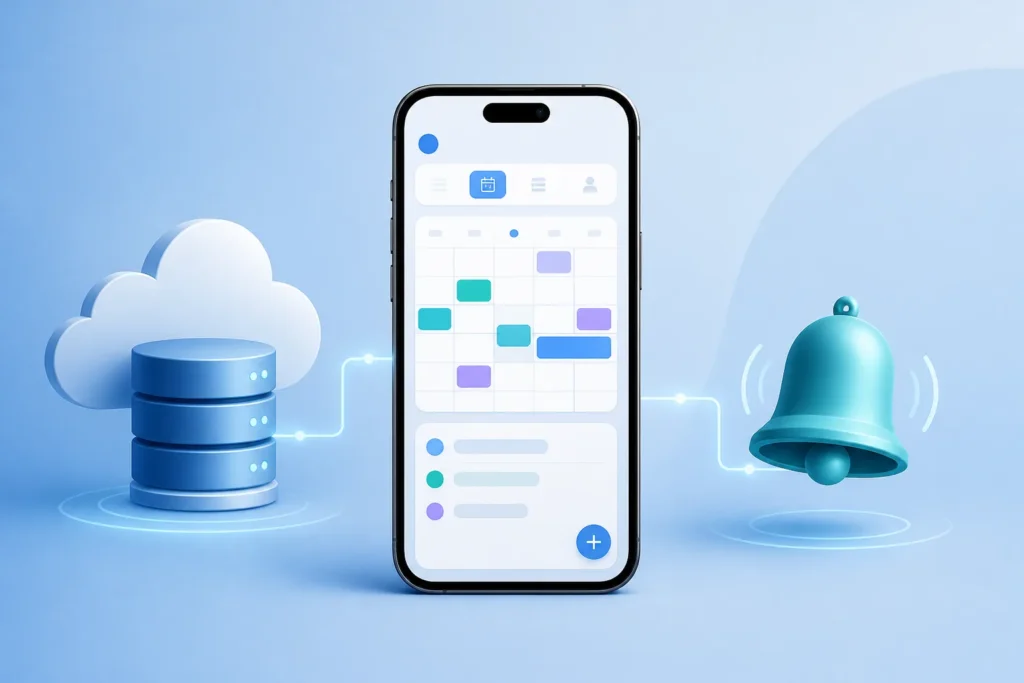
The right connections depend on where you already manage appointments, customer records, and reminders. Before choosing a chatbot platform, map the booking flow and confirm that the required systems can exchange the information you need, either through a direct integration or a suitable integration platform.
An AI receptionist for bookings is only as reliable as the information and actions available to it. Start by identifying which system is authoritative for appointment availability; avoid maintaining a separate chatbot calendar that can drift out of sync.
| System or connection type | Role in the booking process | Questions to verify before building |
|---|---|---|
| Scheduling calendar | Shows staff availability and may hold appointments. | Can the chatbot read availability and create, change, or cancel events? How are permissions and time zones handled? |
| Salon or clinic booking software | Manages services, providers, appointment rules, and client bookings. | Is there a supported connection? Which service, staff, and booking fields can it read or update? |
| Studio class schedule | Lists sessions, instructors, capacity, and registrations. | Can it check remaining capacity and prevent duplicate or over-capacity registrations? |
| Customer-management system | Stores client contact details, preferences, or interaction history. | What information is necessary, where is it stored, and who can access it? |
| Messaging channel | Provides the chat entry point and may send confirmations or reminders. | Does the channel support the required actions, and how are delivery failures handled? |
| Payment tool | May collect a deposit or payment for a service or class. | Is payment required to confirm? Does the bot send clients to a secure, approved payment flow? |
GPT and Claude are possible choices for interpreting and composing conversational responses. Neither gives a chatbot calendar access or booking logic by itself; those actions require a connection to the relevant system and rules for using it. An integration platform can sometimes act as a connection layer, but don’t assume that a named app is supported in the exact way your workflow needs.
For an AI-powered chatbot for appointment booking, verify the specific app connection, the data fields it can read and write, and what happens if a request fails partway through. Ask whether errors are logged, whether staff receive an alert, and whether the client gets an honest status update.
Can it sync with an existing calendar? Yes, but only when the calendar or booking software is connected and the required permissions, availability rules, and update behavior are configured. Confirm whether changes made by staff appear promptly in the chatbot’s availability check. That’s central to preventing double bookings.
Finally, map the data flow before connecting customer records or payments. Decide what the chatbot needs, who should see it, and whether the channel and systems meet your business’s privacy and security requirements. The AI chatbot for appointment booking should use the smallest practical set of connections, not every system your business owns.
Find chatbot development freelancers
What should salons, clinics, and studios automate with an appointment chatbot—and when should staff step in?
Automate predictable tasks such as answering service questions, collecting booking preferences, and guiding clients through routine scheduling. Keep a clear route to a person for exceptions, sensitive information, urgent needs, or requests that require professional judgment.
An AI booking assistant should reflect how each business actually schedules, rather than forcing every appointment into the same pattern. The useful boundary is usually straightforward: automate repeatable steps governed by clear rules; hand off situations that depend on context or judgment.
- Salons: Services can have different durations, and clients may prefer a particular stylist. Make sure the booking flow distinguishes services that sound similar and checks that the selected staff member offers the requested service.
- Clinics: Appointment types may have different booking requirements. Ask only for information needed to route or schedule the visit, and avoid collecting clinical details in chat unless the business has explicitly approved that process and its data handling.
- Studios: A class or group session has a schedule and capacity, not just an individual appointment slot. Check that registration updates the right class roster and that a full session is never presented as available.
Suitable tasks include sharing opening hours, describing services, providing preparation instructions approved by the business, explaining cancellation policies, collecting appointment preferences, and directing clients to the right staff member. Keep source information current. If clinic preparation guidance changes, for example, update the approved instructions rather than expecting the chatbot to infer new policy.
For clinics, draw firm lines: the chatbot shouldn’t diagnose, make clinical decisions, or invite unnecessary sensitive details. Decide in advance which messages require a person, what information may be collected, how it is protected, and what the bot should say when someone describes an urgent need. It should direct the person to the clinic’s approved urgent-care or emergency instructions, not attempt to assess the situation.
Good handoffs are specific. Tell the client when a staff member is expected to respond, pass the conversation context to that person, and give a fallback if the booking system is unavailable—for example, a phone number or a request form the business actually monitors.
The automated chatbot for appointment booking should never imply that a staff member has seen a request until that handoff is accepted. Use a clear status such as “Your request has been sent; the team will contact you to confirm.” For routine cases, it can confirm the appointment directly if the connected system reports success.
As you plan an online chatbot for appointment booking, write down the handoff triggers and test them with staff. This keeps automation useful without making clients guess whether they’re speaking to a person or waiting for one.

How much does an appointment-booking chatbot cost, and how long does it take to build?
Cost and delivery time depend on whether you can use an existing booking platform, need custom integrations, and want features such as multiple locations, tailored business information, or complex handoffs. Separate one-time development work from recurring model, hosting, messaging, integration, and maintenance charges.
There isn’t a single dependable price or timeline for an automated booking assistant. A chatbot that answers FAQs and routes booking requests is a different project from one that checks several calendars, manages class capacity, takes deposits, and handles cancellations across locations.
The table below is a way to compare scope, not a price list. No monetary or delivery-time ranges are given because they can’t be stated responsibly without knowing the systems, access, and requirements involved. Ask each provider to estimate the same assumptions and deliverables.
| Project scope | What it may include | Cost and timing basis to request |
|---|---|---|
| Guided request and FAQ | Approved answers, collection of preferences, and staff routing. | Quote for one channel and a defined handoff; ask for setup, testing, and launch time separately. |
| Connected single-system booking | Availability checks and appointment creation through an existing booking tool. | Quote based on the exact system, supported operations, and booking rules; confirm access and test requirements. |
| Multi-location or complex workflow | Different services, locations, staff rules, payments, or exception paths. | Request itemized estimates by workflow and integration, with assumptions about data, security, and staff tools. |
Scope changes with the number of booking workflows, availability of APIs or connectors, locations, testing needs, security requirements, and tools staff use to review exceptions. A project can also take longer when business policies are incomplete or when the booking vendor must approve access. Ask the provider to identify dependencies and what could delay delivery.
Recurring charges may include GPT or Claude usage, hosting, integration services, messaging, and ongoing maintenance. The amount depends on your intended usage and each vendor’s current pricing. Confirm how usage is measured, whether message charges apply, what support is included, and who monitors errors after launch.
To compare proposals for an easy-to-use chatbot for appointment booking, give each provider the same brief: one workflow, the systems involved, expected handoffs, required channels, and sample conversations. Request separate line items for discovery, development, integrations, testing, launch, and ongoing support. Ask what is excluded and what would trigger additional work.
That process produces more useful estimates than asking for a generic chatbot price. The intelligent chatbot for appointment booking should be priced against a specific outcome—for example, checking availability in a named booking system—not an undefined promise to “automate appointments.”
Compare chatbot development gigs
How can you plan and build an AI Chatbot for Appointment Booking at Salons, Clinics and Studios without an in-house AI team?
Start with the booking problem and the systems you already use, then document the rules, exceptions, and handoffs before selecting technology. You can work with an AI developer or development partner to scope, build, test, and maintain the solution without hiring an in-house AI team.
Plan the AI receptionist for bookings around a single workflow first. A narrow first release—such as answering service questions and routing requests—can expose missing policies and integration needs before you automate live bookings.
- Choose one priority workflow. Pick a repeated task that causes delays or takes staff away from clients, such as answering opening-hours questions or handling appointment requests.
- Map today’s booking steps. Record what the client asks, what staff check, which system they update, and what confirmation they send.
- Gather approved information. Collect current service descriptions, policies, preparation instructions, and answers to common questions. Assign someone to keep them current.
- List integrations and permissions. Name the booking platform, calendar, messaging channel, and any customer or payment systems. Specify what the chatbot must read or change.
- Define success and escalation. Decide what counts as a completed booking, which cases go to staff, and what the client sees when the system is unavailable.
- Test realistic conversations. Include incomplete requests, unavailable times, rescheduling, cancellations, and questions outside the approved information.
- Prepare launch and maintenance plans. Assign an owner for policy updates, error review, vendor contact, and staff feedback.
The appropriate build depends on the workflow. A customer-support bot may fit when the main need is answering approved questions and routing clients. A custom chatbot may suit a tailored booking conversation; an AI agent may be appropriate when it must take defined actions across connected tools. A custom AI application can support requirements that don’t fit an existing platform. A RAG knowledge system may help when answers need to draw from a maintained set of business documents. None of these choices removes the need for booking connections and rules.
A useful project brief includes your audience and channels, booking rules, systems, sample client questions, data constraints, handoff process, deliverables, acceptance tests, and assumptions about ongoing costs. For an AI-powered chatbot for appointment booking, spell out which system is authoritative and exactly how a successful booking will be verified.
Common mistakes are leaving scope unclear, assuming GPT or Claude can access a calendar unaided, skipping edge-case tests, and failing to plan ongoing maintenance. Ask a developer for relevant project examples, a written integration plan, testing and privacy practices, itemized deliverables, ownership terms, and a support plan. Confirm who owns the code and configuration, and who is responsible for vendor accounts and updates.
AI Build Desk helps businesses understand, plan, and build practical AI applications without an in-house AI development team. Its guidance covers custom chatbots, customer-support bots, lead qualification systems, AI agents, GPT and Claude integrations, RAG systems, and AI-powered websites. Use it to understand the project steps, compare suitable approaches, prepare a brief, and assess development support.
When evaluating an AI chatbot for appointment booking, ask a prospective developer to walk through one real booking from the client’s first message to the final system confirmation. That conversation can reveal gaps in permissions, exception handling, and testing before they become launch problems.
What should you do next to scope an appointment-booking chatbot?
Choose one booking task that creates repeated work or delays, write down how it works today, and identify which system holds the authoritative schedule. Use that brief to compare build options, integration requirements, realistic costs, and delivery plans before committing to development.
For an AI booking assistant, start with a bounded task rather than trying to automate every interaction at once. Answering service questions and routing booking requests is often a manageable first workflow; add live scheduling only after you’ve confirmed the booking system can support it and defined its rules.
Use this short action list to prepare a useful project brief:
- Select one use case that affects clients or staff regularly.
- Gather current policies and FAQs, including service details, opening hours, and cancellation rules.
- Identify the booking platform and any required calendar, messaging, customer, or payment tools.
- Note exceptions and handoffs, including who responds and what the client should be told.
- Request a scoped proposal with deliverables, integration assumptions, testing, timeline, one-time costs, and recurring fees.
Ask providers to explain how they’ll test a successful booking, an unavailable time, a cancellation, and a system failure. Compare proposals using the same workflow and assumptions; otherwise, a lower quote may simply leave out integration or support work.
AI Build Desk can help you prepare that brief, understand whether a custom chatbot, GPT or Claude integration, RAG system, or another practical AI application fits the job, and evaluate developers for the next step. Before approving a build, make sure you can name the schedule’s source of truth, the rules the chatbot must follow, and the person who will maintain it.
Make the first version of your chatbot for appointment booking narrow enough to test with real staff and real booking scenarios. Once it reliably answers, routes, or books within that boundary, use what you learn to decide whether additional automation is worthwhile.
Your next step is concrete: write the one-page workflow brief and request comparable proposals. A well-scoped booking assistant starts with a defined booking problem, not a technology choice.
Video
See chatbot development prices
Builder FAQ
Can an AI chatbot book appointments automatically?
Yes, if it is connected to the business’s booking system, has the required permissions, and follows configured scheduling rules. Without those connections, it can collect a request or route the client to staff, but it shouldn’t claim that an appointment is confirmed.
Can a booking chatbot sync with Google Calendar or another calendar?
It can if the calendar or booking platform has a suitable connection and the required permissions are configured. Verify whether the integration can read availability and create or update events, and how it handles conflicts or failures.
Can clients make appointments through a chatbot after business hours?
A chatbot can receive requests at any time. It can confirm an appointment outside business hours only when it has access to the live booking system and the business has configured rules that allow that booking.
Should clinics use a chatbot to collect health information?
Only collect information that is necessary for the approved booking workflow and appropriate for the clinic’s data-handling practices. A booking chatbot should not diagnose or make clinical decisions, and clinics should define escalation and privacy rules before launch.
What affects the cost of an appointment-booking chatbot?
The main factors include the number of workflows and locations, whether the booking platform has a suitable integration, and how much testing, security work, and staff handoff support is needed. Ongoing charges may also include model usage, hosting, messaging, integration services, and maintenance.
What is a good first use case for a salon or studio chatbot?
A bounded workflow such as answering approved service questions and routing appointment requests is a practical starting point. You can add live booking after verifying the schedule connection, service rules, and exception handling.
